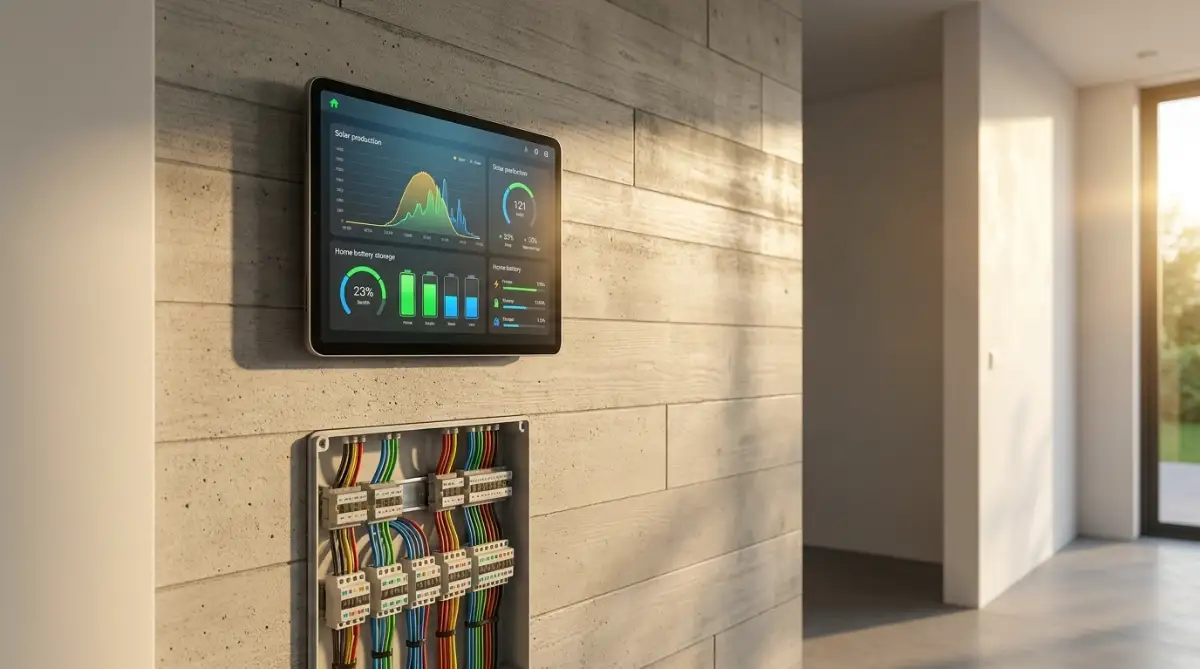
Smart Home Solar Fixes: Solving Energy and Automation Dropouts
There is nothing more frustrating than spending thousands on solar panels only to watch your smart home pull peak-rate power from the grid while free sunshine goes to waste. I learned this the hard way when my own monitoring app claimed my roof was exporting power at 1:00 AM.
Most solar automation glitches aren't broken hardware—they are simple setup errors like reversed sensor clamps and cloud-lagged Wi-Fi connections.
The "smart" in smart home usually implies efficiency, but for many solar owners, the system is fundamentally broken. If you've ever wondered why your electric bill is still high despite a roof full of panels, the answer isn’t the weather—it’s the latency.
Here is the breakdown of why your solar automation is failing and how to fix it.
1. The Broken Cloud-Delayed Loop
Most "out-of-the-box" smart home setups rely on the vendor cloud. This is the default path for 90% of consumers, and it is the primary cause of efficiency loss.
- The Path: Solar Array ──> Inverter ──> WiFi ──> Vendor Server ──> Smart Hub ──> Appliance.
- The 15-Minute Lag: Many inverter clouds only update their data every 5, 10, or 15 minutes to save on server costs.
- The Glitch: A cloud passes over your house. Your solar production drops. Because your hub is waiting for a 15-minute-old data packet, it still thinks you have 5kW of excess power. It triggers your EV charger or dishwasher.
- The Result: By the time the hub realises the sun is gone, you’ve already pulled 15 minutes of expensive grid power. Multiply this by every cloud-drift and appliance trigger, and you are wasting hundreds of dollars a year.
2. The Direct Local-First Loop
To achieve "Net Zero" or maximum self-consumption, your home needs to react at the speed of light, not the speed of an ISP.
- The Path: Solar Array ──> Inverter (Modbus/Local API) ──> Local Hub ──> Appliance.
- The Instant Trigger: By bypassing the internet and talking directly to the inverter via Modbus (RS485) or a local API, your smart hub gets production data in milliseconds.
- The Efficiency: If a cloud hits, the hub sees the drop instantly and throttles the EV charger or switches off the heavy load before the grid meter even ticks.
- The Result: 100% of your generated solar is used internally. No "leakage" to the grid, and no "phantom" grid imports.
Getting your solar array, home battery, and smart automation platform to communicate in real time stops electrical waste immediately.
Here is the complete, practical guide to diagnosing your smart home solar errors, fixing inaccurate readings, and making your clean energy run on true autopilot.
Table of Contents
- Why Smart Homes and Solar Systems Fight Each Other
- Top 5 Smart Home Solar Glitches and How to Fix Them
- Diagnostic Troubleshooting Matrix: Symptom to Solution
- Building a Resilient Local Solar Automation Setup
- Regional Grid Realities: US, UK, and European Setups
- Common Mistakes When Modifying Solar Automations
- What Can You Do With This Information?
- Your Next Step
- Frequently Asked Questions
- Summary: Unlocking Seamless Solar Automation
Your Solar Smart Home Troubleshooting Checklist:
- Exporting Power at Midnight? Flip your main Current Transformer (CT) sensor clamp 180 degrees.
- Laggy Automations? Stop using slow 15-minute cloud APIs; pull local data using Modbus or local energy monitors.
- EV Won't Charge on Solar? You need at least 1,440W of surplus power before standard 240V smart chargers will trigger.
- Inverter Keeps Dropping? Run a hardwired Cat6 Ethernet cable to bypass outdoor signal-blocking brick and metal walls.
Why Smart Homes and Solar Systems Fight Each Other
The Cloud API Lag Trap
Most solar inverter manufacturers design their mobile apps for casual viewing, not real-time automation.
Your inverter records power generation, bundles the data, and sends it to the manufacturer’s cloud server once every 5 to 15 minutes. If your smart home hub relies on that cloud connection to decide when to turn on an electric heater, it is always making decisions based on stale data.
A cloud passes over your roof, solar output drops by 70%, but your smart plug continues running a heavy appliance for another ten minutes using costly grid power because the cloud app has not refreshed yet.
Radio Frequency Interference in Electrical Cabinets
Your main breaker panel is an aggressive electromagnetic environment.
When high-power solar inverters convert Direct Current (DC) from your roof into Alternating Current (AC) for your home, they create electrical switching noise.
Placing cheap Wi-Fi or Zigbee energy monitors inside a metal breaker cabinet surrounded by high-voltage AC cables creates dropped packets, intermittent offline statuses, and lost sensor telemetry.
To learn how setting up local mesh communication prevents smart home radio dropouts, read our guide on how to build a unified smart home ecosystem without app clutter.
Top 5 Smart Home Solar Glitches and How to Fix Them
The 5 Most Common Failure Points:
- Backwards CT Clamps: The app shows the house exporting electricity at midnight.
- Inverter Wi-Fi Dropouts: Outdoor masonry and metal cabinets killing wireless signals.
- Cloud-Delayed Triggers: Heavy appliances turning on long after the sun goes down.
- Erratic Diverter Relays: Smart switches toggling on and off every time a small cloud passes.
- Misconfigured Battery Modes: Home batteries dumping cheap stored power into the public grid.
Fix 1: Backwards CT Clamps Causing Negative Consumption Readings
- The Symptom: Your smart home dashboard shows your house exporting electricity to the grid in the middle of the night, or your solar generation numbers mirror your household consumption numbers exactly.
- The Cause: Current Transformer (CT) clamps are directional sensors clipped around your main electrical service lines. They measure the magnetic field created by electrical current flowing through the cable. Every physical CT clamp has an arrow stamped on its plastic casing indicating the direction of current flow. If an installer clips even one clamp backwards, the monitoring software flips the mathematical values.
- The Fix:
- Turn off your solar system completely at the breaker.
- Turn on a heavy appliance (like an electric kettle or oven).
- Look at your energy monitor app. Grid consumption should show as a clear positive number.
- If consumption displays as negative, turn off the main service disconnect and physically unclip the reversed CT clamp. Flip it 180 degrees so the stamped arrow points in the correct direction indicated by the manufacturer's manual.
The 30-Second CT Clamp Diagnostic Test:
- Turn off your solar system at the breaker so your panels generate exactly 0 Watts.
- Turn on an electric stove burner, a space heater, or boil a kettle of water.
- Check your smart energy monitoring app:
- If the consumption graph spikes upward into positive numbers: Your CT clamp is facing the right direction.
- If the graph shows negative numbers or claims you are "exporting": Your clamp is backwards. Unclip it, turn it 180 degrees, and snap it back on.
Fix 2: The Inverter Wi-Fi Drop (Moving to Hardwired Modbus)
- The Symptom: Your solar monitoring app frequently displays an "Offline" or "Reconnecting" status, even though your home internet works fine.
- The Cause: Most residential solar inverters sit on an exterior wall or inside a garage, far away from your central Wi-Fi router. Stucco walls with metal wire mesh, brick cladding, and outdoor metallic junction boxes severely degrade 2.4 GHz Wi-Fi signals.
- The Fix: Stop relying on outdoor Wi-Fi dongles for critical energy monitoring.
- Run a shielded Cat6 Ethernet cable directly from your router to the RJ45 port inside your inverter's communications compartment.
- Enable local communications via Modbus TCP or RS485.
- By pulling telemetry locally through Modbus into your local controller (such as Home Assistant), you read solar generation metrics every single second with zero wireless dropouts.
Fix 3: Automations Triggering on Cloud-Delayed Solar Data
- The Symptom: Your smart home turns on your pool pump or air conditioner when the sun comes out but fails to turn it off when skies turn overcast, resulting in unexpected electricity bills.
- The Cause: Your smart automation rule pulls its solar trigger numbers from a cloud server that updates once every quarter-hour, completely missing passing clouds.
- The Fix: Install an independent, local energy meter (such as an Emporia Vue, Shelly EM, or IoTaWatt) directly inside your breaker box.
- These devices read physical current clamps and report live generation and export figures locally over your home network every 1 to 2 seconds.
- Point your automation logic to this local energy meter rather than the solar brand's cloud server.
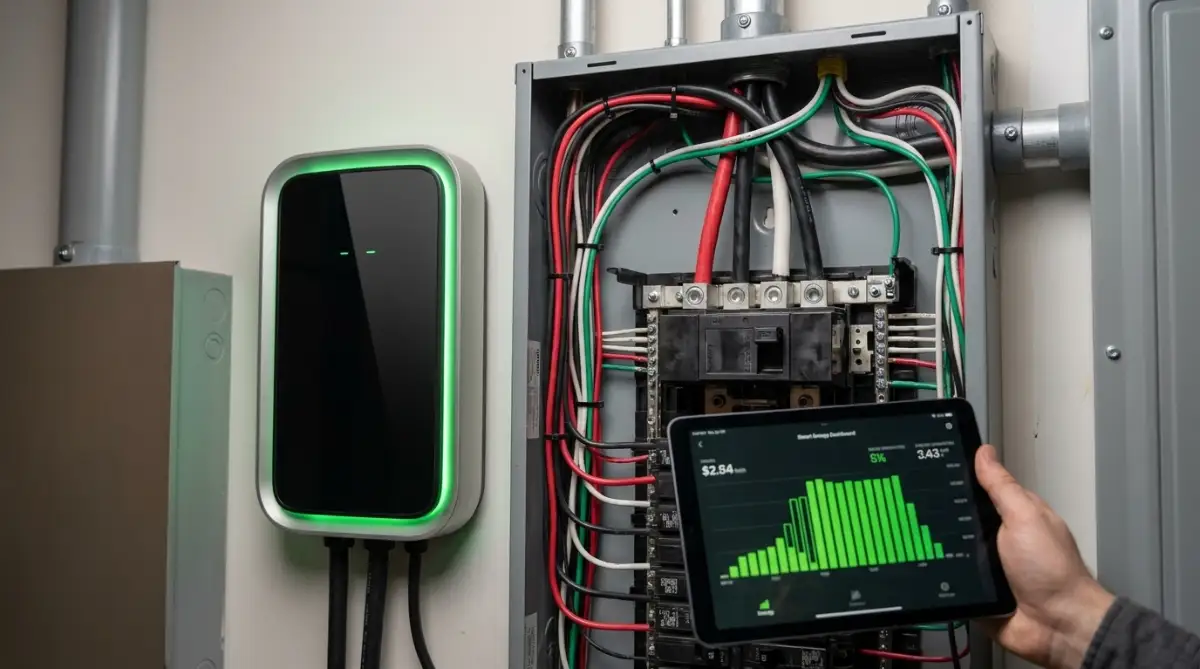
Fix 4: Failed EV and Immersion Heater Solar Diversion
- The Symptom: Your smart EV charger or water heater diverter stays idle while your solar panels export cheap electricity to the public grid.
- The Cause: The trigger threshold does not account for baseline household consumption, or the minimum power requirement for the appliance is higher than your excess generation.
- The Fix: An electric vehicle cannot charge at an arbitrary trickle rate; international standards (SAE J1772 and Type 2) require a minimum pilot signal current of 6 Amps (roughly 1.4 kW on standard 240V lines). If your solar array only generates 1.1 kW of surplus power, your smart charger cannot start.
- Adjust your solar diversion automation to include a grid buffer or configure the smart charger to allow a small grid blend (e.g., 80% solar, 20% grid) until solar production crosses the 1.4 kW threshold.
Minimum Solar Surplus Needed for EV Charging:
Fix 5: Battery Discharging to the Public Grid by Mistake
- The Symptom: Your expensive home battery storage drains into the public electrical grid during the afternoon instead of powering your own house at night.
- The Cause: Incorrect configuration of your inverter's Time-of-Use (TOU) profiles or export permissions.
- The Fix: Open your inverter’s administrative installer menu. Change your operational profile to "Self-Consumption Mode" (sometimes labelled "Solar Priority" or "Self-Powered"). Ensure that the toggle for "Grid Export from Battery" is set strictly to Disabled unless you are enrolled in a specific utility Virtual Power Plant programme that pays you premium cash rates for exported battery power.
To learn how home energy systems integrate seamlessly into emergency power plans, check out our guide on climate energy resilience.
Diagnostic Troubleshooting Matrix: Symptom to Solution
Building a Resilient Local Solar Automation Setup
A dependable solar smart home should run smoothly without an internet connection.
Local Solar Automation Pipeline:
- 1. Inverter & Storage: Direct hardware telemetry via hardwired RS485 or Modbus TCP.
- 2. Local Controller: Home Assistant, openHAB, or local hub processing metrics with zero cloud delay.
- 3. Execution: Local smart relays and Zigbee contactors toggle high-wattage loads instantly.
Local Polling vs. Cloud Scraping: Why Milliseconds Matter
When you manage high-wattage loads—like electric vehicle chargers, heat pump water heaters, and air conditioners—speed protects your wallet.
Relying on vendor cloud servers means your automations react long after power conditions change. Connecting your smart home hub directly to your inverter's local data port via Modbus, SunSpec, or local REST APIs reduces telemetry response times from 900 seconds down to less than 1 second.
When a cloud blocks the sun, your local system shuts down discretionary loads before you pull costly kilowatts from the public utility.
Threshold Buffering: Stopping Contactors from Clicking Non-Stop
A common rookie mistake is setting an automation that says, "If solar export is greater than 2,000 watts, turn on the heater. If less than 2,000 watts, turn it off."
On a partly cloudy afternoon, solar production jumps above and below 2,000 watts every thirty seconds. This causes the smart relay to cycle continuously, damaging internal electronics and reducing appliance lifespan.
The Correct Hysteresis Automation Formula:
- Turn ON Rule: Solar export must exceed 2,200 watts for 3 continuous minutes before switching on the appliance.
- Turn OFF Rule: Grid import must exceed 300 watts for 2 continuous minutes before shutting down the appliance.
- The Result: This buffer window stops erratic on-off cycling and preserves your expensive mechanical contactors.
For more household automation routines that save electricity and cut utility bills, explore our practical guide on smart home automation for energy savings.
Regional Grid Realities: US, UK, and European Setups
Solar wiring, grid codes, and electrical standards differ by region. Understanding these differences prevents expensive hardware mistakes.
United States: Split-Phase Monitoring and Rapid Shutdown Interlocks
- The Hardware Reality: Standard American homes operate on a 120V/240V split-phase electrical service.
- The Smart Solar Fix: Your energy monitor must use two separate CT clamps—one clamped around Leg A (L1) and one around Leg B (L2). If an installer monitors only one leg, your smart hub reads only half of your household consumption, throwing all your solar automations completely out of balance.
- Safety Mandates: The National Electrical Code mandates rapid shutdown of equipment on residential roofs. If your solar system shuts down unexpectedly, check the rooftop rapid shutdown transmitter power supply inside your combiner box [1].
United Kingdom: G98/G99 Export Caps and Immersion Diverters
- The Hardware Reality: Most UK homes run on a single-phase 230V supply governed by strict Energy Networks Association standards (Engineering Recommendation G98, capping export at 3.68 kW per phase without prior DNO permission) [2].
- The Smart Solar Fix: Because export payments are often lower than import prices, British homes benefit most from immersion heater diverters (such as a Myenergi Eddi or smart relay). These units modulate solar surplus directly into hot water cylinders, avoiding the 3.68 kW export cap while saving gas and electricity.
Europe: Three-Phase Balancing and Balcony Solar Metering
- The Hardware Reality: Continental European homes standardly use a 400V three-phase electrical supply.
- The Smart Solar Fix: You cannot use a basic single-clamp energy monitor. Your smart home hub must read all three phases simultaneously. Ensure your utility meter supports phase netting (saldometering). If it does not, a heavy appliance running on Phase 1 might pull from the grid even while your solar panels export surplus power on Phase 2.
- Balcony Solar: European micro-inverters plugging into standard wall sockets must be paired with bidirectional smart plugs certified for reverse energy flow to prevent false trip-outs and overheating.
To understand how sensible, low-waste home routines build long-term independence, read our guide on how to build wealth in silence.
Common Mistakes When Modifying Solar Automations
Four Critical Solar Automation Traps:
- 1. Touching High-Voltage DC Wiring: Rooftop DC strings carry up to 600V to 1,000V DC. Clamping low-voltage CT sensors is safe, but never open high-voltage DC conduit or junction boxes.
- 2. Short-Cycling Compressors: Never cut mains power to a heat pump with a cheap smart plug. Compressors need time to equalise refrigerant pressure; always automate through smart thermostats.
- 3. Setting Zero Delay Buffers: Flipping relays on every single passing cloud damages contactors and causes appliance burnout.
- 4. Polling Cloud APIs Too Fast: Hitting vendor cloud servers every two seconds triggers automatic IP blocks for rate-limiting. Use local Modbus for high-speed tracking.
What Can You Do With This Information?
For Homeowners with Existing Rooftop Solar
- Audit your energy monitoring dashboard tonight: verify that consumption numbers are positive and your battery does not dump power into the grid.
- Add a 3-minute delay buffer to any automation rules that trigger high-wattage appliances from solar surplus.
- Switch your inverter from unreliable outdoor Wi-Fi to a hardwired Ethernet connection.
For Renters and Apartment Dwellers with Balcony Solar
- Use bidirectional, energy-monitoring smart plugs rated for solar feed-in to measure generation at the wall outlet.
- Configure smart plugs on entertainment units and dehumidifiers to turn on when balcony panels hit peak midday generation.
- Ensure your apartment's electricity meter supports reverse energy flows before plugging in micro-solar hardware.
For Self-Sufficiency and Off-Grid Enthusiasts
- Decouple your smart home logic from cloud servers: run your automations on an offline-capable local controller like Home Assistant.
- Confirm that your solar-plus-storage inverter includes an automatic transfer switch capable of islanding during grid failures.
- Set up a hardwired RS485 communication link between your battery management system and your energy controller for instant telemetry.
Your Next Step
- Check Your CT Clamps Tonight: Open your solar monitoring app when your solar panels are inactive. Turn on your oven. If your app shows green energy exporting or negative consumption, your main CT clamps are reversed.
- Review Your Battery Profile: Log into your storage dashboard and verify that your system is set to "Self-Consumption Mode" to prevent unnecessary exports.
- Hardwire Your Inverter Connection: Inspect your solar inverter. If it uses a loose Wi-Fi antenna, locate the internal RJ45 Ethernet port and plan an Ethernet cable run.
- Build One Simple Solar Rule: Create an automation that triggers an electric water heater or portable appliance only when excess solar generation exceeds 1,500 Watts for three straight minutes.
Frequently Asked Questions
Why does my solar app show that my house is exporting power at night?
This almost always indicates a backwards Current Transformer (CT) clamp. CT clamps are directional. If an installer clipped the sensor around your main electrical service wire backwards, the system reads incoming grid electricity as outgoing solar generation.
Can smart plugs handle the electricity generated by solar panels?
Standard smart plugs are designed for one-way power consumption, not generation. If you use balcony solar or a plug-in micro-inverter, you must use a dedicated bidirectional smart plug explicitly rated for reverse power flow to prevent electrical shorting and fire hazards.
What is the difference between cloud solar monitoring and local Modbus monitoring?
Cloud monitoring sends your generation data to an external server over the internet, refreshing every 5 to 15 minutes with noticeable lag. Local Modbus connects your smart home hub directly to the inverter via hardwired serial or Ethernet cable, streaming live generation figures every second with zero cloud delay.
Why won't my solar panels power my smart home during a blackout?
Standard grid-tied solar inverters automatically shut down during a utility power outage as a required safety mechanism called anti-islanding. To run solar power during a blackout, your system must include an island-capable inverter, a battery, and an automatic transfer switch that safely disconnects your home from the street grid.
Summary: Unlocking Seamless Solar Automation
A solar array should not feel like an unpredictable science experiment that demands constant manual monitoring.
When your current clamps point in the right direction, your communication pathways run
Professional Electrical and Safety Disclaimer:
The information provided in this guide is for educational and informational purposes only. Working inside electrical breaker panels, handling current transformer clamps, and adjusting high-voltage solar inverter wiring carries a serious risk of electrical shock, severe burns, and electrocution. Always turn off your main service disconnects before inspecting any wiring, and always consult with a licensed, insured electrician and a certified solar technician before modifying your home's electrical infrastructure.
Author BIO
Faisal Shahzaib is an elite digital tech strategist, SEO data analyst, and investigative researcher specialising in smart home automation, cybersecurity, and renewable energy management. He breaks down complex electrical grids, local microgrids, and clean backup technologies into actionable, highly practical guides. Faisal helps readers globally optimise their living spaces, eliminate digital clutter, and build resilient, energy-efficient smart home ecosystems.
Sources & External References
- National Renewable Energy Laboratory (NREL): Best Practices for Siting, Monitoring, and Maintaining Photovoltaic Systems (https://www.nrel.gov)
- US Department of Energy (DOE): Energy Saver Guide on Home Renewable Energy and Inverter Integration (https://www.energy.gov)
- Energy Saving Trust (UK): Solar Panels: Generating Electricity at Home and Maximising Self-Consumption (https://energysavingtrust.org.uk)
- International Electrotechnical Commission (IEC): IEC 62109 Safety Standards for Power Converters in Photovoltaic Systems (https://www.iec.ch)