The False Sense of Safety in Digital Clouds
Where are your family photos, tax records, and private work files kept right now? If you answered "in the cloud", you probably feel a deep sense of relief every day. You assume a massive tech firm is standing guard with impenetrable digital shields around your entire digital life.
What happens when that floating digital vault develops a tiny, invisible crack? The moment you realise your private files were accessible to total strangers is heartbreaking and deeply shocking. It brings an overwhelming sense of helplessness, panic, and anger that stays with you for weeks.
You realise too late that "the cloud" is simply someone else's computer. We trust these distant servers because companies spend billions marketing them as unbreakable vaults.
That blind trust is dangerous. Let us pull back the curtain and look at why your cloud storage is far less secure than you have been led to believe.
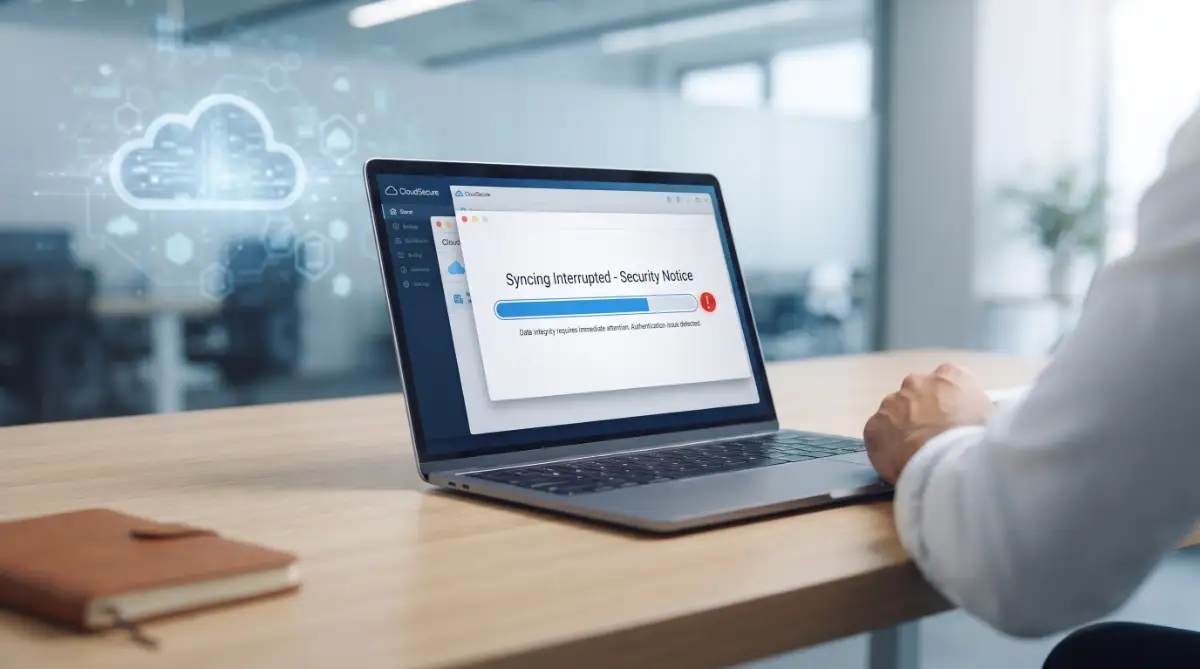
The Shared Responsibility Model: Who Actually Guards Your Data?
Most people believe that when they pay for cloud storage, the provider handles one hundred per cent of the security. This is one of the biggest misconceptions in modern technology.
Major cloud providers operate under what the tech industry calls the Shared Responsibility Model. This framework divides security duties into two completely separate categories.
The cloud provider protects the physical infrastructure, the data centres, the power grids, and the core server hardware. They make sure nobody walks into the physical building and steals a hard drive.
However, you are entirely responsible for what happens inside your account. You control the access permissions, the passwords, the encryption keys, and the sharing settings.
The Apartment Building Analogy
Think of a cloud service like renting a luxury apartment in a high-rise building. The landlord installs security cameras in the lobby, hires a doorman, and maintains the front gate.
If you leave your apartment door wide open with your valuables on the table, the landlord is not responsible when something disappears. The landlord protects the building, but you must lock your own door.
When you leave a file link set to "Anyone with the link can view", you are leaving your door wide open. The provider's security shields mean nothing if your account configurations are flawed.
Human Error: The Silent Monster in the Server Room
Cyberattacks on cloud storage rarely look like what you see in Hollywood movies. Hackers almost never break through heavy encryption algorithms by guessing complex computer code.
Instead, they wait for human beings to make simple, sloppy setup mistakes. These errors are known as cloud misconfigurations.
An employee at a company might create a cloud storage bucket to store customer records or personal files. In a rush to finish the project, they leave the bucket permissions set to "Public".
Automated scanning bots constantly sweep the internet looking for these open buckets. Within minutes of a misconfiguration going live, unauthorised tools can index every document inside it.
Myth vs Reality: Cloud Protection
- The Myth: Cloud platforms automatically encrypt every single file and fix your access settings automatically.
- The Reality: Cloud platforms prioritise convenience and file sharing, meaning default settings often favour easy access over lockdown security.
If you do not manually review your security settings, default configurations will often expose your data to unwanted risks.
The Auto-Syncing Trap: How Convenience Destroys Privacy
We all love the convenience of taking a photo on our phone and seeing it immediately appear on our laptop. This magic happens through automated cloud synchronisation.
While auto-sync saves time, it also creates a massive web of vulnerability across all your personal hardware. Every single device connected to your cloud account becomes a backdoor into your main digital vault.
Imagine you leave an old tablet in a gym locker or sell an old phone without performing a full factory reset. If that device is still logged into your sync service, anyone who turns it on can access your entire cloud history.
The Danger of Shared Local Cache
Furthermore, cloud apps often keep a local copy of your files cached on your computer's local storage drive. If your computer gets infected with basic malware, that malicious software does not need to hack your cloud account.
It simply reads the unencrypted cached files sitting directly on your desktop. Your cloud account was perfectly secure, but your local device leaked the information anyway.
This comparison highlights why relying solely on standard public setups leaves your data exposed to unnecessary risks.
The Threat of Third-Party Application Permissions
How many times have you clicked "Sign in with Google" or "Connect to Dropbox" when trying out a new mobile app or productivity tool? Each time you do this, you grant an outside application permission to read your cloud files.
We rarely read the permission popups. An online PDF converter or video editing app might ask for permission to "view and manage files in your storage."
You click "Allow" because you want to convert a single document. Weeks later, you forget that the converter app even exists on your phone.
If that third-party developer experiences a security breach, attackers can use the app's access tokens to reach your main cloud drive. Your cloud provider remained safe, but a weak third-party app opened the back gate for intruders.
Data Sovereignty: Who Legally Owns Your Cloud Files?
When you save a document to your computer's local hard drive, that physical file is legally your property. When you upload that same file to a remote cloud server, things get complicated.
Your data physically resides on a server located in a specific state, country, or legal jurisdiction. That means your personal information is subject to the local laws of wherever that physical server happens to sit.
Governments can issue subpoenas or secret search warrants to cloud providers to access user data. In many cases, cloud providers are legally forbidden from even telling you that your files were handed over to law enforcement.
Terms of Service Fine Print
Additionally, almost every major cloud provider includes clauses in their terms of service regarding content scanning. They use automated software to scan your files for illegal content, copyright violations, or policy breaches.
This means your files are not truly private. Humans or algorithms are constantly inspecting your uploaded documents to ensure you comply with company rules.
If an automated scanner misinterprets a personal photo or legal document as a policy violation, your account can be terminated instantly. You lose access to your photos, work files, and emails overnight with no easy way to appeal.
Zero-Knowledge Encryption: The Missing Shield
Why can cloud providers scan your files or hand them over to government agencies? Because they hold the decryption keys to your account.
Standard cloud services encrypt your data while it travels over the internet and while it sits on their servers. However, because they hold the keys, they can decrypt that data whenever they want or need to.
If a rogue employee at the company decides to browse user files, or if a government demands access, the provider uses their master key to unlock your account.
The only true defence against this vulnerability is zero-knowledge encryption (also known as end-to-end client-side encryption).
How Zero-Knowledge Architecture Works
With zero-knowledge encryption, your files are scrambled directly on your personal device before they leave your computer. The encryption key is derived directly from your master password, which only you know.
When the encrypted blob of data reaches the cloud server, the cloud provider has no way to read it. They hold the locked box, but you hold the only key in existence.
Even if a hacker breaks into the cloud provider's main database, they only see meaningless, scrambled computer code. Even if a government issues a subpoena, the provider cannot hand over your files because they physically cannot decrypt them.
If your current cloud provider does not feature zero-knowledge architecture by default, your privacy is based on a promise rather than mathematical proof. Real security relies on mathematics, not corporate promises.
Architecting a Bulletproof Digital Vault
Now that we understand the deep vulnerabilities of standard cloud storage, we must talk about solutions. You do not have to abandon cloud technology entirely to keep your personal information safe. You simply need to upgrade your defence mechanisms.
Taking control of your digital life requires shifting your mindset from passive trust to active management. Professional data engineers do not rely on corporate promises. They rely on strict, verifiable security protocols.
The most powerful strategy you can implement today is client-side encryption. This sounds highly technical, but the underlying concept is incredibly simple to execute.
The "Locked Safe" Strategy
Imagine you need to store a stack of highly sensitive financial documents at a public storage facility. You would never just leave the raw papers sitting on a shelf for the facility manager to browse through. You would put those documents inside a heavy metal safe, lock it, and then place that locked safe inside the storage unit.
Client-side encryption does exactly this for your digital files. You use a specialised software program on your personal computer to lock your files before they ever connect to the internet.
When your cloud provider syncs the data, they only receive scrambled, unreadable code. If a hacker breaches the cloud server, they steal nothing but digital garbage. Because the actual decryption key stays physically on your laptop, your files remain completely invisible to the outside world.
Mastering the 3-2-1 Backup Philosophy
Another expert-level secret is moving away from the idea that cloud synchronisation equals a true backup. Syncing simply mirrors your files across devices. If you accidentally delete a photo on your phone, the cloud instantly deletes it from your laptop as well.
To build true digital resilience, you must adopt the 3-2-1 backup rule. This is the exact same standard used by enterprise tech companies.
You should keep three total copies of your data. Two copies should live on two different storage mediums, like your computer's internal drive and an external hard drive sitting on your desk. Finally, one copy should live off-site, which is where a secure cloud provider comes into play.
This method guarantees that no single disaster can wipe out your memories or your business records. If a flood ruins your physical hard drives, your encrypted cloud backup survives. If your cloud account gets locked or hacked, your physical hard drive is sitting safely on your desk.
Controlling the Flow of Your Information
You must also become fiercely protective of your account permissions. We casually connect dozens of external apps to our main cloud accounts without a second thought. Every connected app is a potential open window into your private vault.
You need to schedule a quarterly review of your connected services. Go into the security settings of your Google Workspace, Microsoft account, or Apple ID. Find the section managing third-party access and revoke permissions for any application you have not used in the last thirty days.
If you actively use smart assistants for productivity, you must also monitor the hidden privacy leaks in everyday AI automation tools to ensure those bots are not quietly reading your newly secured files. Limiting app access shrinks your attack surface drastically.
For a deep understanding of how to implement these robust security models on a personal level, the Electronic Frontier Foundation provides comprehensive privacy guides that explain exactly how to shield your communications and stored data from unwanted surveillance.

The Silent Traps That Leave Your Files Exposed
Even with the best encryption tools available, human psychology often becomes the weakest link in the security chain. We are wired to seek out convenience, and that desire for speed often causes us to make devastating mistakes.
The most dangerous errors are not loud or obvious. They are quiet little habits that slowly erode your digital walls until a massive breach happens. Let us look at a heartbreaking reality that occurs every single day.
The Nightmare of the Permanent Link
Consider the story of a small business owner named David. During tax season, David needed to send a folder of highly sensitive financial records to his accountant. To make things easy, he generated a public sharing link from his cloud drive and emailed it over.
The accountant downloaded the files, and the job was finished. However, David never went back to disable that sharing link. He assumed that because he only emailed it to one person, it was entirely safe.
Six months later, an automated web scraper discovered that active link buried in an old, compromised email server. Within hours, David’s entire financial history was downloaded by a criminal organisation. His identity was stolen, and his business accounts were completely drained.
Leaving sensitive documents exposed online is just as risky as ignoring the hidden dangers in life insurance policies; both can suddenly bankrupt your family due to a simple, preventable oversight.
Do's and Don'ts of File Sharing
To avoid David's nightmare, you must change how you share information.
- Don't ever use "Anyone with the link can view" for personal documents.
- Do restrict access to specific email addresses only.
- Don't leave sharing links active indefinitely.
- Do set strict expiration dates on every shared folder, forcing the link to break automatically after a few days.
The Single Point of Failure
Another deeply emotional pitfall is the habit of password recycling. We all suffer from password fatigue. Remembering fifty different complex passwords feels impossible, so we naturally use the same favourite phrase across multiple websites.
This creates a terrifying domino effect. If an obscure fitness forum you joined five years ago gets hacked, criminals immediately take that leaked password and test it on your main cloud storage account.
If the passwords match, your most intimate photos, legal documents, and personal letters are instantly compromised. The feeling of absolute violation that follows a cloud breach is something people carry with them for years.
You must break this cycle today. Using a dedicated password manager is non-negotiable. This tool generates a completely unique, unguessable string of characters for every single website you use.
Ignoring the Backup Keys
Many platforms offer two-factor authentication (2FA) to block unauthorised logins. When you set this up, the platform always provides a list of emergency backup codes.
Most people glance at these codes and immediately click "Next" without saving them. This is a massive, stressful mistake.
If you drop your phone in a lake or it gets stolen, you will not be able to receive your 2FA login text messages. If you did not print out those emergency backup codes, you will be permanently locked out of your own cloud account.
Customer service cannot help you bypass a strict 2FA protocol. You will permanently lose access to years of family memories and critical records just because you skipped a thirty-second safety step. Treat those backup codes like the deed to your house.
Your Blueprint for True Digital Independence
We have uncovered the hard truths about digital storage. You now know that trusting a corporate logo with your absolute privacy is a losing game. The cloud is a brilliant tool for collaboration, but it is a terrible place to blindly store your secrets.
You do not need to be a computer programmer to protect yourself. Security is not about complex coding; it is about building disciplined daily habits.
The anxiety of a potential data breach shrinks the moment you take proactive control. You have the power to lock your own digital doors, and doing so brings an incredible sense of relief and confidence.
Action Plan for Tomorrow
You can significantly upgrade your digital armour in the next twenty-four hours by following this simple checklist:
- Audit Your Links: Open your main cloud storage drive tomorrow morning. Look for a menu option labelled "Shared Links" or "Active Shares". Delete every single link that is older than one week.
- Enable App-Based 2FA: Move away from SMS text message codes. Download an authenticator app on your phone and link it to your primary cloud account. It is significantly harder for attackers to intercept.
- Print Your Backup Codes: While setting up your authenticator, print out the provided emergency codes. Put that piece of paper inside a physical safe or a secure filing cabinet.
- Test Client-Side Encryption: Research a free, open-source encryption tool. Practice creating a locked folder on your desktop before uploading your next batch of sensitive files.
If you run a small business, standardising these security protocols is just as important as knowing how to master your brand voice for consistent communication across your team. Everyone in your household or business must understand these basic rules.
For excellent, beginner-friendly resources on setting up these exact protocols, the Massachusetts Institute of Technology (MIT) publishes public security guidelines that are easy to follow and highly reliable.
Take a deep breath and start small. Secure one account this weekend. Encrypt one important folder next week. By taking these deliberate steps, you stop being a passive consumer of technology. You become the absolute owner of your digital footprint, completely secure in a connected world.
Disclaimer: This blog post is for informational and educational purposes only. I am not a certified cybersecurity expert or an IT legal advisor. Software features, cloud provider policies, and encryption standards change frequently. Always conduct your own research, read the specific terms of service for any software you use, and consult with a professional security firm when handling highly sensitive corporate or legal data.