
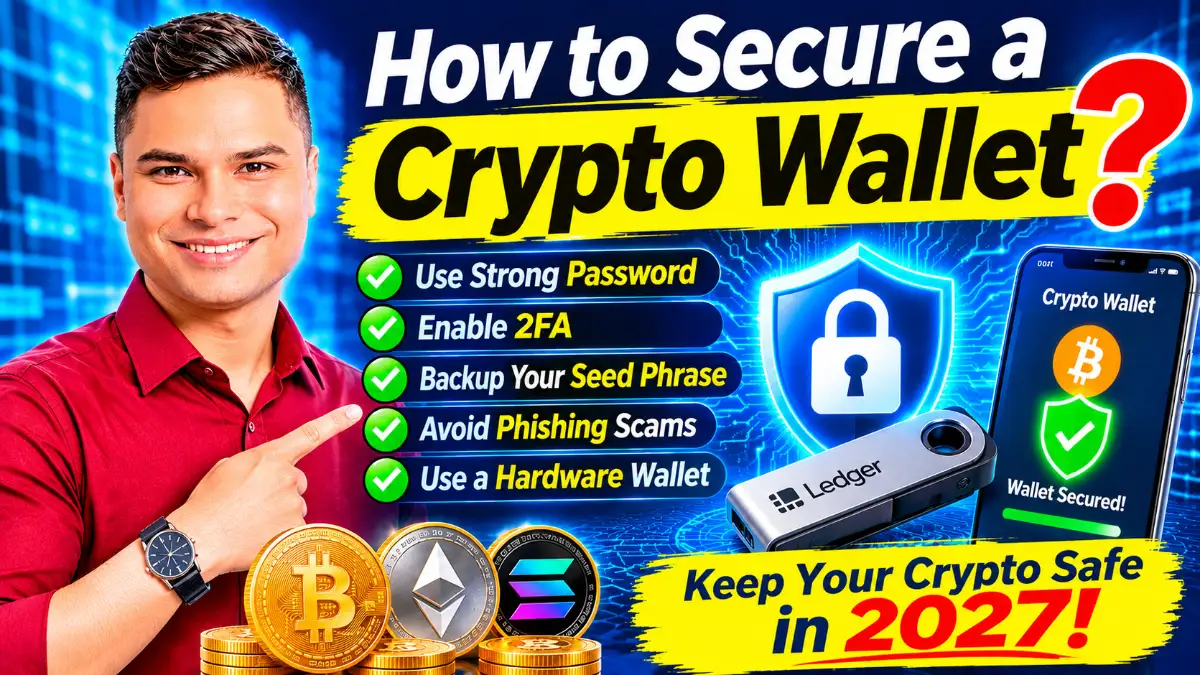
A crypto wallet does not usually store cryptocurrency like a file on a computer. The assets are recorded on a blockchain, while wallet software or a device helps manage the keys used to access them and authorise transactions. That makes protecting the wallet’s keys, recovery process, devices, and transaction approvals important.
This guide explains how to secure a crypto wallet using practical steps for self-custody and custodial accounts. It covers recovery phrases, device security, transaction checks, scam prevention, and what to consider if a wallet may be compromised. No wallet setup or security practice can remove every risk, so check the official documentation for the wallet and blockchain you use.
- What wallet security means
- Choose and set up a wallet carefully
- Protect recovery phrases and private keys
- Secure your devices and related accounts
- Check transfers, signatures, and token approvals
- Recognise common wallet scams
- What to do if your wallet may be compromised
- Compare common wallet types
- A 12-point wallet security checklist
- Frequently asked questions
- Interactive wallet-security planner
- Printable 10-section planning workbook
What Does It Mean to Secure a Crypto Wallet?
For a self-custody wallet, the person using the wallet controls the keys. A private key can authorise transactions, while a recovery or seed phrase may restore one or more accounts in a compatible wallet. The exact setup depends on the wallet and blockchain.
A custodial service works differently: the provider controls the underlying keys and the user accesses an account with credentials such as a password, passkey, or other account controls. This can involve account-recovery support, but it also means the user depends on the provider’s security, policies, and availability.
- Self-custody: You manage the keys and recovery process. If the keys are lost or exposed, there may be no central provider able to restore control.
- Custodial account: A service manages the keys. Secure the account and its recovery email, use available account protections, and understand the provider’s policies.
- Hot wallet: A software wallet is used on an internet-connected phone, browser, or computer. It can be convenient, but that device and its installed software are part of the security picture.
- Hardware wallet: A dedicated device is designed to help keep signing keys separate from a general-purpose computer or phone. It still depends on secure setup, careful recovery of backups, and reviewing what you approve.
Choose and Set Up a Wallet Carefully
Before installing a wallet or creating an account, check that it supports the assets and networks you intend to use. Also review how it handles recovery, what information it collects, and whether it is self-custody or custodial. Wallet labels and features vary, so use the wallet’s own documentation rather than assuming that every product works the same way.
- Find the official source independently. Use the wallet provider’s verified website or a trusted app-store listing. Check the domain and publisher carefully; a search result, advertisement, social post, or familiar-looking logo does not prove that an app or site is genuine.
- Check the wallet and network compatibility. Confirm that the wallet supports the intended asset and network. Similar token names or wallet interfaces do not necessarily mean the assets can be sent between networks safely.
- Initialise a new wallet yourself. Follow the manufacturer’s official setup instructions. For a hardware wallet, do not use a device supplied with a pre-written recovery phrase or a wallet that appears to have been initialised for you.
- Keep the setup private. Avoid screen sharing, recording, or taking photographs while a recovery phrase is displayed. Do not let a person on a call or in a chat guide you through revealing the phrase.
- Use official update instructions. Install wallet, device, and operating-system updates through verified channels. Treat urgent update links sent in unsolicited messages or pop-ups with caution.
- Read the recovery instructions before relying on the wallet. Wallets can use different recovery methods. Make sure you understand what would be needed if your phone, computer, device, or account became unavailable.
A hardware wallet can reduce some exposure to internet-connected devices, but it does not make every transaction safe. A user can still approve a malicious transaction, expose a backup phrase, or lose access because of a recovery mistake.
Protect Recovery Phrases and Private Keys
In many seed-based self-custody wallets, a recovery phrase can restore access to accounts. The words, their order, and the wallet’s recovery method matter. If someone obtains the phrase, a wallet PIN or app password may not prevent them from restoring the wallet elsewhere.
Safer Recovery-Backup Habits
- Keep the backup offline. For many self-custody setups, an offline written backup or another manufacturer-approved offline method avoids exposing the phrase to ordinary internet-connected devices. Consider physical risks such as loss, damage, unauthorised access, and forgetting where it is stored.
- Check the words and their order privately. Use only a verification feature or recovery procedure provided in the wallet’s official documentation. Do not use a random online recovery-phrase checker.
- Avoid casual digital copies. Do not photograph or screenshot the phrase, email it to yourself, paste it into a message, or place it in an ordinary cloud note. A digital copy can be exposed through synced accounts, malware, backups, or shared devices.
- Think carefully before making extra copies. Multiple backups may help with some physical-loss risks, but every copy is another item that must be protected. Choose a backup approach you can maintain and explain it only to people who need to understand the recovery plan.
- Keep credentials distinct. A wallet PIN or app password protects access to a particular device or application; it is not the same as a recovery phrase. A phrase-based wallet may offer an optional additional passphrase, but losing it can make the expected account difficult or impossible to restore. Check the wallet’s instructions before using one.
- Understand alternative recovery models. Some wallets use custodial, social-recovery, or other arrangements rather than a traditional seed phrase. Learn who or what can restore access and what the associated risks are.
Traditional self-custody wallets generally cannot reset a lost recovery phrase in the same way a website can reset an account password. Some products offer other recovery mechanisms, so check the official documentation for the specific wallet you use.
Secure Your Devices and Related Accounts
A wallet can be affected by the security of the phone, browser, computer, email account, or exchange account used alongside it. Device security and account security are useful layers, but neither can make an exposed private key or recovery phrase secret again.
- Keep software current. Install operating-system and wallet updates through verified channels. Review compatibility and release instructions for dedicated wallet devices before updating firmware.
- Lock devices when not in use. Use a device passcode or other access control, and avoid handling wallet credentials on shared or untrusted computers.
- Limit unnecessary software. Avoid unknown browser extensions, unofficial wallet downloads, and unexpected remote-access tools. Rooted or jailbroken devices may have additional risks that require careful evaluation.
- Protect the email account linked to an exchange. Use a unique password and enable available multi-factor authentication. Where supported, consider a passkey or security key. Keep recovery codes private and stored separately from the account they protect.
- Use account protections on custodial services. Enable available sign-in protections and review active sessions, withdrawal controls, or address allowlists if the provider offers them. Features differ between services.
- Understand the limits of multi-factor authentication. It can help protect an online account, but it does not protect a recovery phrase that has been shared or verify that a wallet transaction is safe. SMS-based codes may be more exposed to some account-takeover risks than other methods.
- Watch out for screen sharing and clipboard changes. Do not reveal a wallet screen or recovery information to a stranger. When copying an address, confirm that the pasted address still matches the one you intended to use.
Check Transfers, Signatures, and Token Approvals
Wallet transactions and blockchain transfers can be difficult or impossible to reverse once confirmed. Before signing or sending, pause long enough to understand what the wallet is asking you to approve.
Before Sending Cryptocurrency
- Check the recipient independently. Compare the destination address with one obtained through a trusted channel. A familiar contact name, message, or QR code is not by itself proof that the address is correct.
- Check the asset and network. Confirm that the receiving service or wallet supports the specific asset on the network you select. A transfer to an unsupported network may be difficult to recover.
- Review the amount and fees. Check the amount, currency, network, and estimated fee in the wallet before approving.
- Check the signing device when available. If your wallet uses a separate signing device, review the transaction details shown by that device. Follow its instructions for verifying the destination; do not rely only on what appears in a potentially compromised browser or computer.
- Consider a small test transfer when appropriate. A test transaction may help identify some address or network mistakes, but it does not prove that a payment request is legitimate. Fees, minimums, and the risk of a scam still apply. Recheck the destination before sending any remaining amount.
Before Connecting to a Website or Signing
- Verify the site before connecting. Check the domain through a trusted source or bookmark. A website asking you to “synchronize,” “validate,” “unlock,” or “verify” a wallet through a recovery phrase should be treated as a serious warning sign.
- Understand what you are approving. Connecting a wallet and signing a transaction are different actions, but either may reveal information or lead to further prompts. Read the wallet’s display and do not sign a request you cannot understand.
- Review token approvals. Some smart-contract interactions request permission to move tokens. If an approval amount or spender is shown, check whether it matches the action you intended. Avoid approving requests from an unfamiliar site.
- Review old permissions carefully. If you no longer need an approval, consider reviewing the wallet’s documented process for removing it. Use a tool or service only after independently verifying its source and the network. A revocation transaction may have a fee and does not undo a transfer that has already happened.
A hardware wallet cannot determine whether a transaction is honest. It can help display transaction details for review, but the user still needs to confirm that the request matches the action they intended.
Recognize Common Crypto Wallet Scams
Scammers may impersonate wallet companies, exchanges, project teams, friends, or technical-support staff. They often create urgency and try to persuade someone to reveal a recovery phrase, install software, send funds, or approve a transaction without reviewing it.
- Fake support messages: An unsolicited caller, social-media account, or chat participant offers to fix a wallet problem and asks for a phrase, private key, remote access, or a payment.
- Fake wallet downloads: An imitation website, advertisement, browser extension, or mobile app claims to be an official wallet.
- “Wallet validation” links: A page claims you must enter your recovery phrase to verify, migrate, sync, or restore an account.
- Urgent investment or giveaway claims: A message promises a guaranteed return, asks for an advance payment, or pressures you to send cryptocurrency quickly.
- Malicious airdrop or token links: An unfamiliar asset appears in a wallet with a message or link telling you to visit a site, claim a reward, or sign a transaction. Do not follow embedded instructions without verifying them independently.
- QR-code substitutions: A QR code can direct you to a different address or website than expected. Check the destination shown by your wallet before approving.
- Recovery-service scams: After a loss, someone claims they can guarantee recovery and requests an upfront fee, private information, or remote access. Be cautious of unsolicited recovery offers.
If a message creates pressure to act immediately, stop and verify it through an independently obtained official channel. Do not use a phone number, support link, or account supplied only in the suspicious message.
What to Do If Your Wallet May Be Compromised
The right response depends on what may have been exposed: a recovery phrase, a device, an exchange password, an approval, or a particular transaction. Avoid following instructions from a stranger who contacts you after an incident.
- Stop interacting with suspicious prompts. Do not enter your recovery phrase into a site or tool to “check” whether it is safe. Do not sign additional requests just because a page or caller tells you to.
- If a private key or recovery phrase was exposed, treat it as compromised. For a self-custody wallet, assume that accounts controlled by the exposed keys may be at risk. A wallet PIN or password does not make an exposed recovery phrase secret again.
- Use a trusted, clean device for any recovery action. If you decide to create a new self-custody wallet, use an independently verified wallet source and a fresh recovery setup. Do not reuse the exposed phrase. Carefully verify addresses and networks before moving remaining assets.
- Get appropriate help for complex situations. If you are unsure what was exposed or how to move assets safely, consult the wallet’s official documentation or a qualified professional through a channel you found independently. Never share your recovery phrase with them.
- If an exchange account may be affected, secure the account and email. Use the provider’s official website or app to review sessions, change credentials, enable available protections, and contact support. Do not follow a support link sent by an unknown person.
- Keep a record without recording secrets. Save relevant dates, public wallet addresses, transaction identifiers, and suspicious website details if safe to do so. Do not include private keys or recovery phrases in reports.
- Beware of promises to reverse or recover funds. Many confirmed blockchain transactions cannot be reversed by a wallet provider. Be wary of anyone who promises guaranteed recovery in exchange for a fee or access to your wallet.
Compare Common Crypto Wallet Types
Different wallet types involve different trade-offs. The right choice depends on how the wallet works, your ability to manage recovery, the assets and networks involved, and the risks you are prepared to handle.
| Wallet type | Who manages access? | Potential benefit | Important consideration |
|---|---|---|---|
| Software self-custody wallet | The user manages the keys on a phone, computer, or browser-based wallet. | May be convenient for regular access and supported applications. | The device, software, recovery phrase, and user approvals all need protection. |
| Hardware self-custody wallet | The user manages the keys and recovery process using a dedicated device. | Designed to separate some signing operations from a general-purpose device. | It does not prevent unsafe approvals, phishing, or insecure recovery backups. |
| Custodial exchange account | The service manages the underlying keys; the user manages account access. | The provider may offer account recovery and customer-support processes. | Access depends on the provider, its security, policies, and service availability. |
| Multisignature wallet | Multiple keys or signers are required under the wallet’s rules. | May reduce reliance on a single key or individual, depending on its setup. | Setup, signer coordination, backup, and recovery can be more complex. |
“Cold storage” is not a guarantee of safety. A recovery phrase can still be copied, lost, or damaged, and a signing device can still approve an unsafe transaction. Review the complete setup—including backups and recovery—not just the wallet’s label.
A 12-Point Crypto Wallet Security Checklist
- Know whether your wallet is self-custody or custodial.
- Confirm that the wallet supports the asset and network you intend to use.
- Install wallet software only from an independently verified source.
- Initialize a new wallet yourself and follow its official instructions.
- Keep recovery phrases and private keys secret and out of ordinary online notes.
- Understand the wallet’s recovery method before relying on it.
- Use device access controls and keep supported software updated.
- Protect linked email and custodial accounts with unique credentials and available account protections.
- Verify the recipient, asset, network, and amount before a transfer.
- Read transaction and signature requests before approving them.
- Review token approvals and permissions through verified wallet or network tools.
- Know where to find official support and what steps you would take if access may be compromised.
Frequently Asked Questions About Crypto Wallet Security
Can someone spend my cryptocurrency with only my public wallet address?
For a typical wallet, a public address alone is not the private key used to authorize a transaction. However, addresses and their public transaction histories may reveal activity. Do not confuse a public address with a recovery phrase or private key.
Can wallet support recover a lost recovery phrase?
Traditional self-custody wallets generally do not have a central password-reset process for a lost recovery phrase. Some wallets use different recovery models, so check the official documentation for the product you use.
Does a hardware wallet make every transaction safe?
No. A hardware wallet may help keep signing keys separate from a general-purpose device, but it cannot decide whether a transaction or smart-contract request is legitimate. Review what the device asks you to approve and protect the recovery backup.
Is a small test transfer enough to prove a wallet transfer is safe?
A test transfer may identify some address or network mistakes, but it does not prove that the recipient or payment request is genuine. Verify the destination again before any further transfer, and consider applicable fees and minimums.
What should I do if I entered my recovery phrase on a website?
Treat the phrase as exposed. Do not enter it into another website or a recovery tool. Use a trusted, clean device and the wallet’s official instructions to assess next steps. If you create a new wallet, generate a fresh recovery setup and do not reuse the exposed phrase. Consider qualified help if you are unsure.
Should I remove old token approvals?
Review approvals you no longer need using the wallet’s documented process or another independently verified tool. Confirm the network and permission before approving a revocation. A revocation transaction may have a fee and does not reverse an earlier transfer or secure an exposed private key.
Interactive Crypto Wallet Security Planner
Mark the topics you have reviewed, then display the unchecked items. This planner is a personal reminder—not a security audit, wallet recommendation, or guarantee of safety.
This planner does not save or submit your selections. They may reset when the page is reloaded.
Printable 10-Section Crypto Wallet Security Workbook
The workbook is included on this page; it is not a separately hosted PDF. Use the print dialog and choose Save as PDF if your browser offers that option.
Preview the 10 workbook sections
Crypto Wallet Workbook · Section 1
Wallet Model and Purpose
Is this wallet self-custody or custodial, and what will you use it for?
What recovery responsibility or provider dependency should you understand?
Crypto Wallet Workbook · Section 2
Official Source and Compatibility
How will you independently confirm the official wallet source and publisher?
Which assets and networks does the wallet need to support?
Crypto Wallet Workbook · Section 3
Recovery Method
What official recovery instructions should you understand before relying on this wallet?
Who or what is involved in recovery, without recording any secret here?
Crypto Wallet Workbook · Section 4
Backup Protection Plan
How will you confirm that a backup exists without copying its contents here?
What loss, damage, theft, or access risks should your backup plan consider?
Crypto Wallet Workbook · Section 5
Device and Account Security
Which device, email, or custodial accounts need additional security review?
Which software-update and account-protection steps should be reviewed?
Crypto Wallet Workbook · Section 6
Transfer Verification
How will you check the recipient, asset, network, amount, and fee?
How will you independently confirm a destination address before sending?
Crypto Wallet Workbook · Section 7
Signatures and Permissions
What checks will you make before signing a message, transaction, or approval?
How will you review or remove permissions you no longer need?
Crypto Wallet Workbook · Section 8
Scam and Phishing Checks
Which messages, links, or requests would make you pause and verify independently?
How will you locate official wallet support without trusting an unsolicited message?
Crypto Wallet Workbook · Section 9
Incident Response
What would you do if a device, account, phrase, or transaction may be compromised?
Which details could you record without writing down any secret?
Crypto Wallet Workbook · Section 10
Review Schedule and Next Steps
When will you review wallet documentation, device settings, and account protections?
List a next action and review date without recording passwords or access details.
Official Documentation and Further Reading
Wallet features and recovery processes differ by product and network. Consult current documentation from the wallet provider and blockchain you use.
- Ethereum Wallets — general information about wallet types and wallet use.
- Bitcoin.org: Secure Your Wallet — wallet-security considerations for Bitcoin users.
- MetaMask Support — official support and safety documentation for MetaMask users.
- Trezor Learn — educational resources from the hardware-wallet manufacturer.
- CISA: Secure Our World — general guidance on account and online security.
Disclaimer: This article is general educational information, not financial, investment, legal, tax, or personalized security advice. Wallet features and blockchain transaction rules vary. Cryptocurrency transactions may be difficult or impossible to reverse, and no security method guarantees protection from loss. Verify instructions using the official documentation for your wallet and network before taking action.

```